SpotCommander13.5
Publisher Description
DISCLAIMER:
This product is not developed, endorsed or certified in any way by Spotify. Spotify is the registered trade mark of the Spotify Group.
DESCRIPTION:
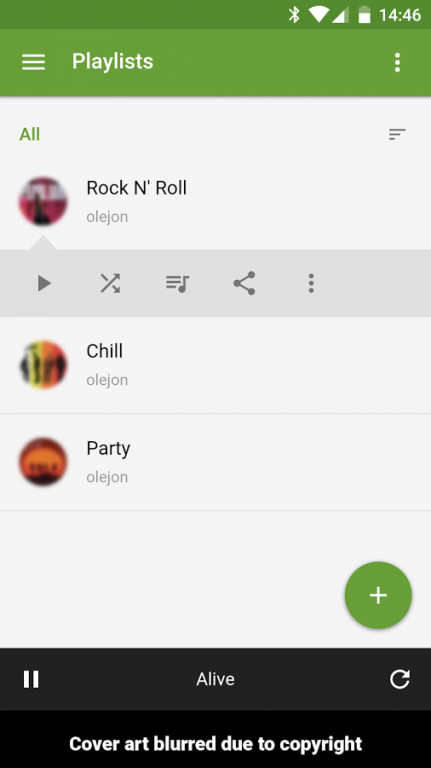
The most intuitive and feature-rich remote control for Spotify for Linux, NOT Windows or Mac OS X.
NOTE: SpotCommander must be installed on the computer first: https://www.olejon.net/code/spotcommander/?install
FEATURES:
* Launch and Quit
* Now Playing
* Control playback
* Transfer playback to other devices and control them
* Seek in currently playing track
* Toggle shuffle and repeat
* Adjust volume
* Playlists
* Library
* Browse
* Search
* Artists
* Albums
* Recently Played
* Queue with additional actions
* Lyrics
* Share to social networks
* Touch gestures
* Keyboard shortcuts
* Android app with additional features
* Fullscreen on iOS
* Desktop notifications
* Responsive design
* Suspend and shut down computer
ANDROID APP EXTRAS:
* Hardware buttons support
* Keep screen on
* Pause on incoming call
* Pause on outgoing call
* Flip to pause
* Shake to skip
* Notification with playback controls
* Widgets
* Share to other apps
PERMISSIONS SPOTCOMMANDER REQUIRES:
* In-app purchases: To be able do donate to the developer
* Wi-Fi connection information: To be able to scan your network for your SpotCommander installation, check if Wi-Fi is enabled and check if the current network has changed
* Device ID & call information: To support the features Pause On Incoming/Outgoing Calls
LICENSE:
SpotCommander is non-commercial free software with open source code, uses of content freely available on the Internet and is licensed under The GNU General Public License, version 3.
Developed by Ole Jon Bjørkum.
About SpotCommander
The company that develops SpotCommander is Ole Jon Bjørkum. The latest version released by its developer is 13.5. This app was rated by 1 users of our site and has an average rating of 4.0.
To install SpotCommander on your Android device, just click the green Continue To App button above to start the installation process. The app is listed on our website since 2018-04-23 and was downloaded 79 times. We have already checked if the download link is safe, however for your own protection we recommend that you scan the downloaded app with your antivirus. Your antivirus may detect the SpotCommander as malware as malware if the download link to net.olejon.spotcommander is broken.
How to install SpotCommander on your Android device:
- Click on the Continue To App button on our website. This will redirect you to Google Play.
- Once the SpotCommander is shown in the Google Play listing of your Android device, you can start its download and installation. Tap on the Install button located below the search bar and to the right of the app icon.
- A pop-up window with the permissions required by SpotCommander will be shown. Click on Accept to continue the process.
- SpotCommander will be downloaded onto your device, displaying a progress. Once the download completes, the installation will start and you'll get a notification after the installation is finished.
Program Details
System requirements
Download information
Pricing
Version History
version 13.5
posted on 2018-04-23
* Latest Android and third party libraries
* Android Wear app removed to reduce complexity
* Because of the new restrictions in Android 8, a persistent notification is now always shown as long as the main app is open to support features like background features such as Flip to Pause
version 13.4
posted on 2017-06-30
* More powerful Widgets
* More powerful Persistent Notification with more Actions
* More powerful Android Wear app
* Better integration with Android Wear with two-way communication
* Various minor changes
NOTE: The Persistent Notifications setting in Settings in the main app must be enabled for notifications on both the mobile device, and watch, if available. The notification is now persistent also when the mobile device is paired with a watch.
version 7.4
posted on 2016-10-09
* Latest Android and third party libraries,NOTE: If your mobile device is paired with an Android Wear device, the Persistent Notification setting is ignored, and a notification is shown anyway, which is not persistent (does not work with Android Wear), so you can slide it away. The Android Wear device must run Android 5.1 or newer.
version 3.0
posted on 2013-06-18
Several fixes and updates
